CompTIA A+ Exam Prep

Pass Your
A+ Cert.
Your Way.

450+ practice questions, mock exams, and the only A+ prep app with passive learning via notifications. Build certification knowledge throughout your day — no marathon study sessions required.

450+ Questions
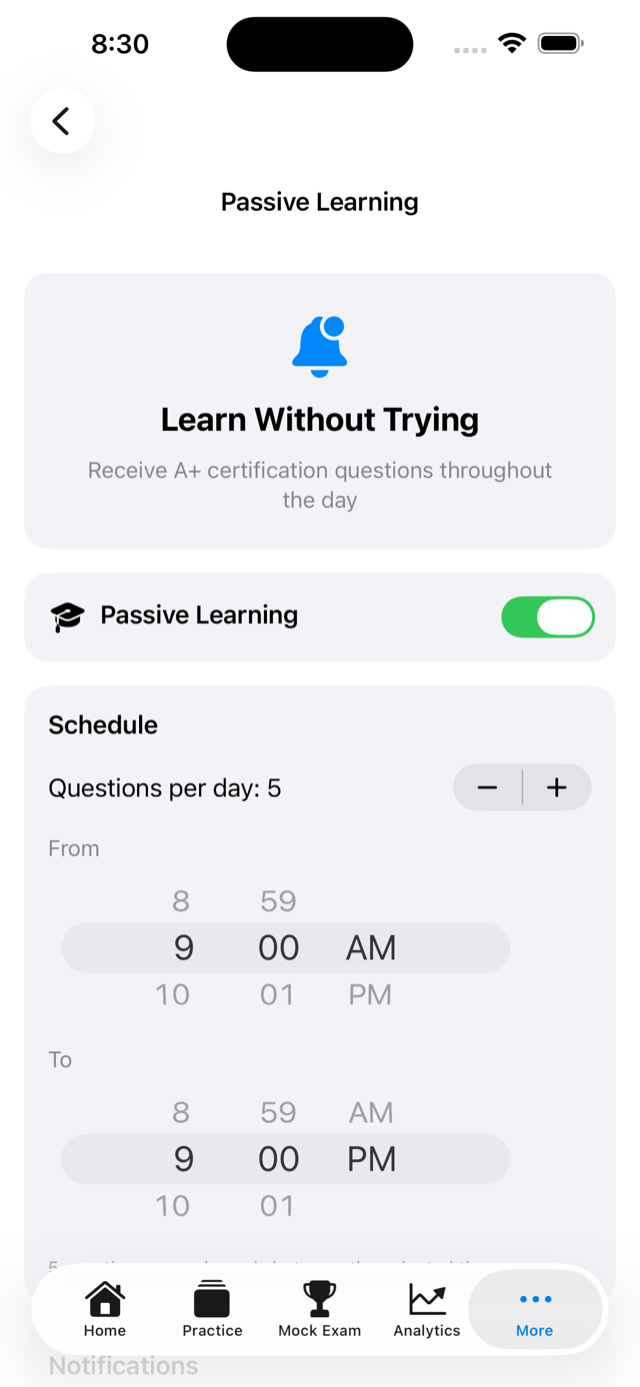
Passive Learning
Mock Exams
No Subscription
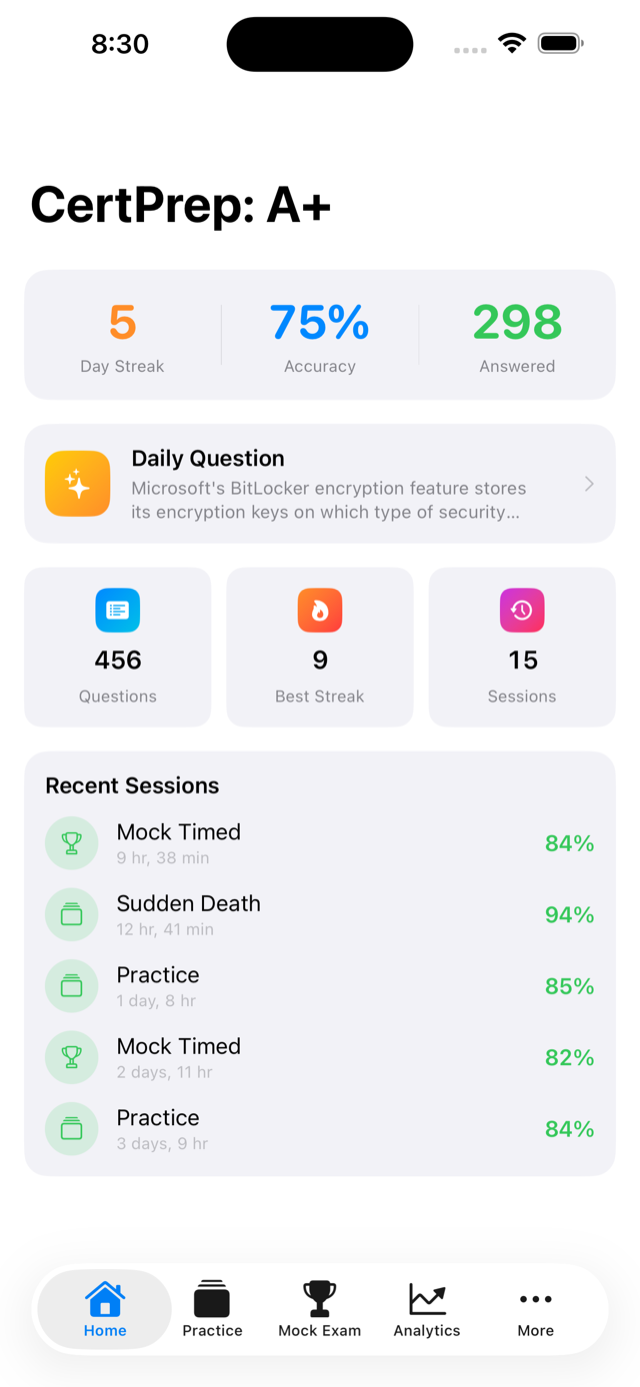
CertPrep home screen showing study modes
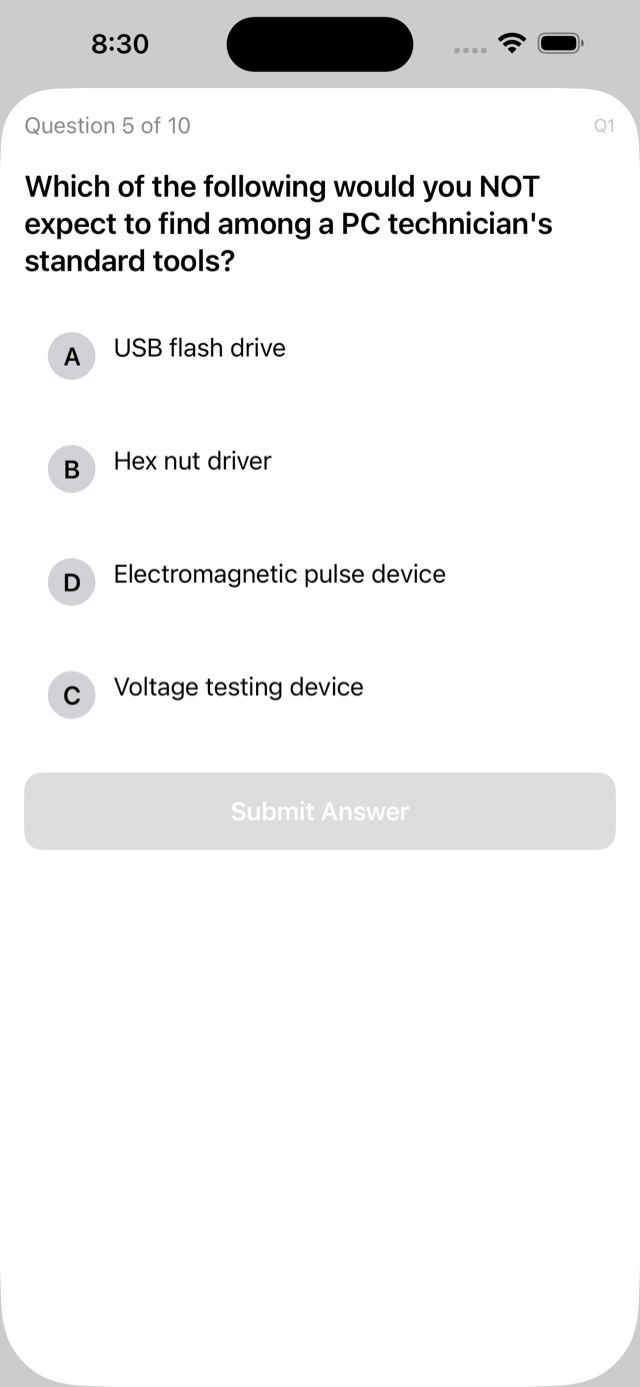
Practice question screen with detailed explanation
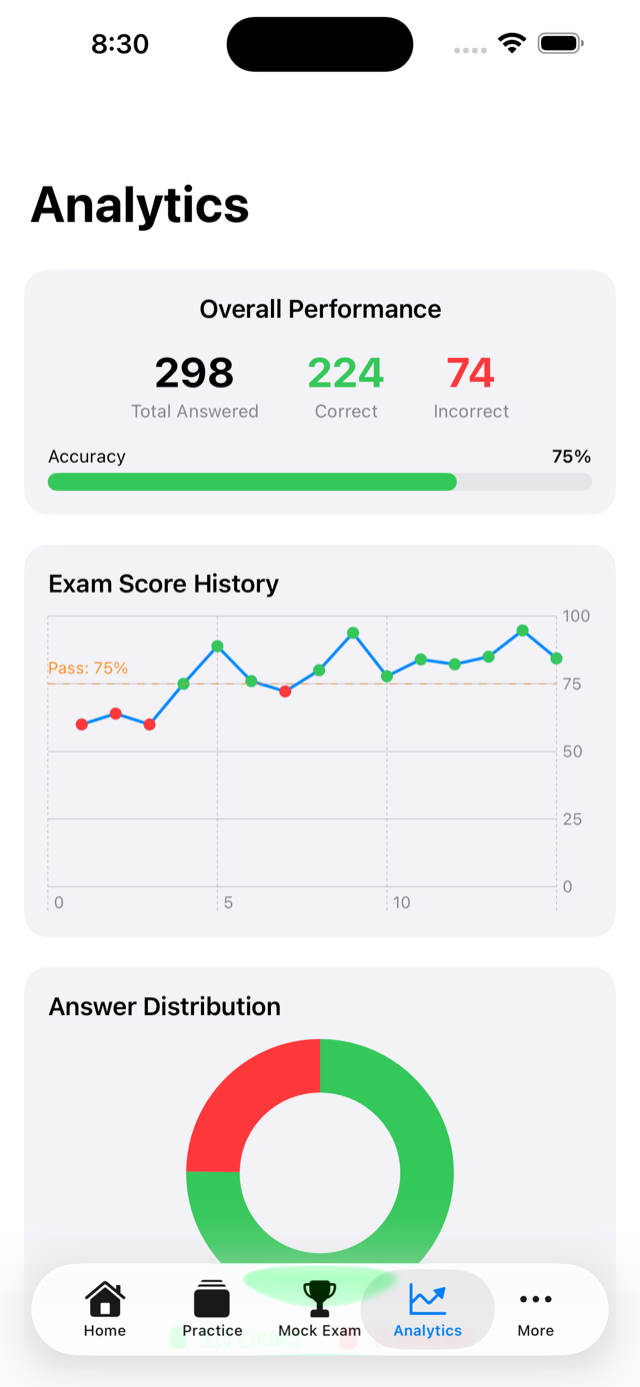
Analytics screen showing accuracy and study streaks

Study Modes

Every way you learn,
covered.

Four distinct study modes built around how real technicians prepare for certification exams.

Passive Learning

Receive A+ practice questions via iOS notifications throughout your day. Set your daily question count and preferred time window. Certification prep happens whether you open the app or not.

Practice Mode

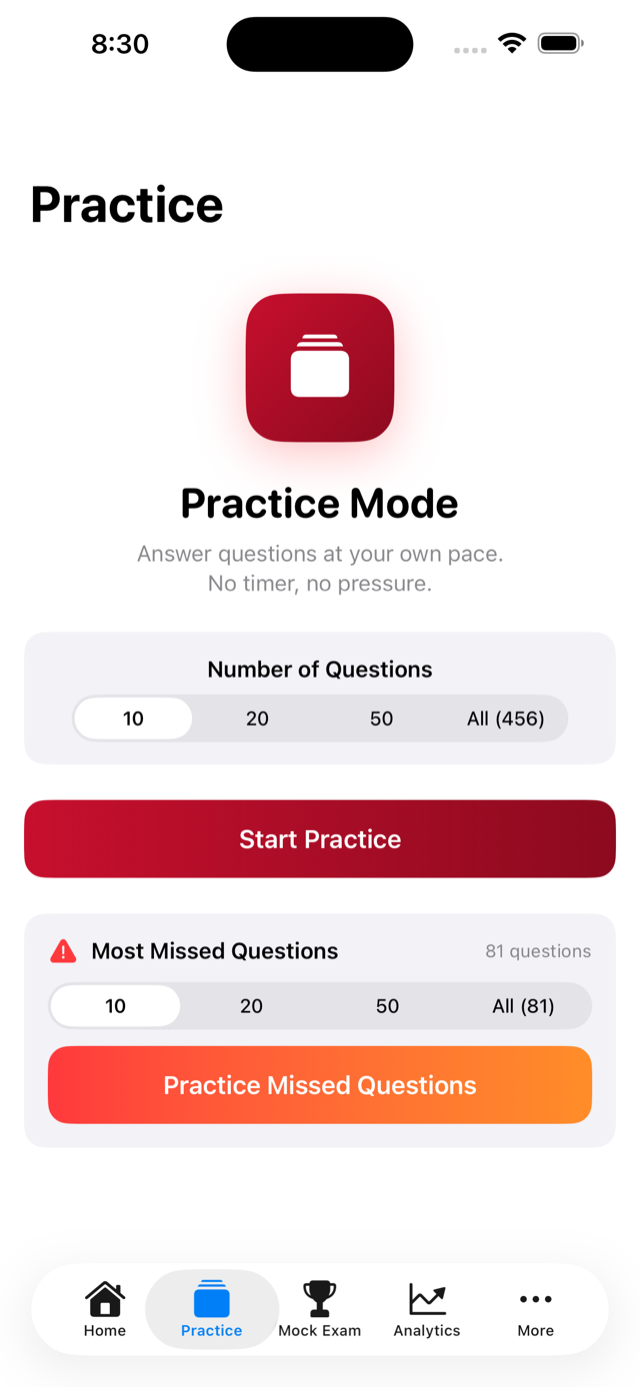
Study at your own pace with instant answer feedback. Every question includes a detailed explanation covering real-world IT concepts. Choose session length and focus on any topic area.

Mock Exams

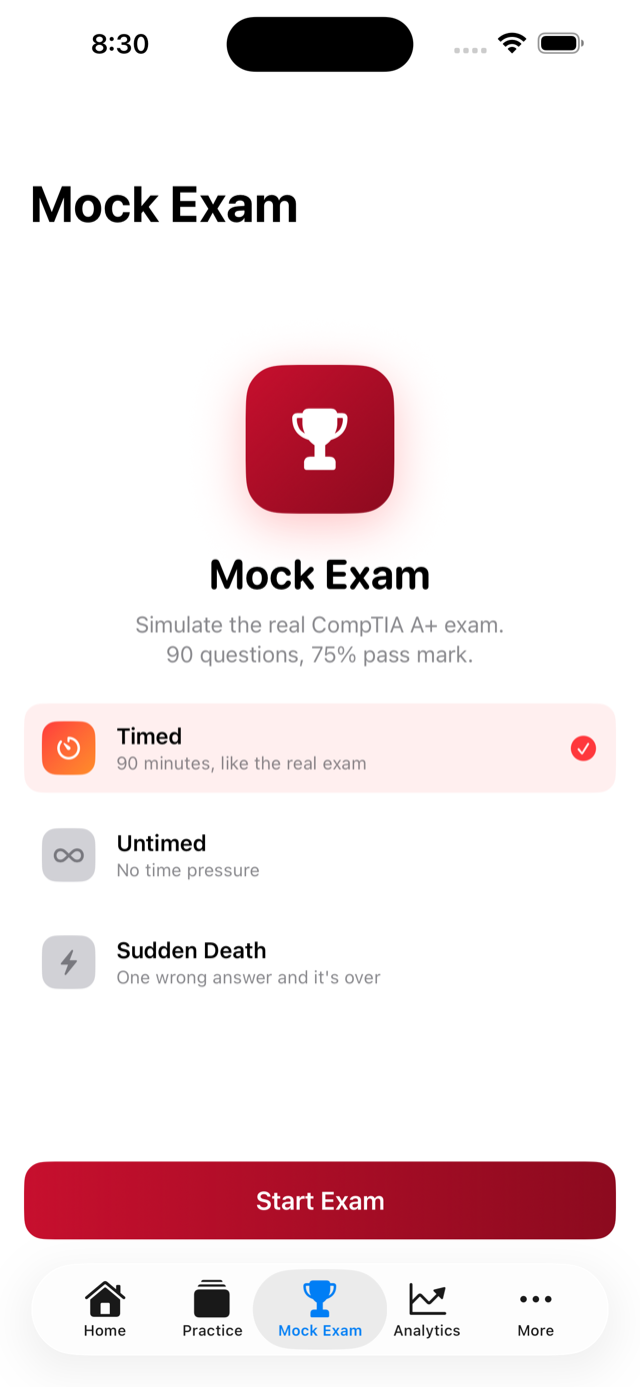
Three exam modes: Timed (90 questions, 90-minute timer), Untimed, and Sudden Death. Explanations are revealed only after completing the exam — just like test day.

Smart Analytics

Track overall accuracy, study streaks, score trends, and session history. See your most-missed questions with tap-to-review. Know exactly where to focus your remaining study time.

Most Missed Questions

A dedicated mode that surfaces questions you get wrong most often. Stop wasting time on concepts you already know — drill the ones that are actually holding you back.

Privacy First

No accounts. No servers. No tracking. All your study data lives on your device. Zero data collection, zero telemetry — your exam prep stays completely private.

In The App

Built for how
technicians actually study.

Home screen showing study mode selection

Home

Practice mode with question and answer choices

Practice

Detailed question explanation after answering

Explanations

Mock exam interface with timer

Mock Exam

Passive learning notification settings

Passive Learn

Analytics dashboard with accuracy statistics

Analytics

What It Covers

Everything the A+ exam
will ask you.

Core 1

220-1201

  • Mobile devices
  • Networking fundamentals
  • Hardware components
  • Virtualization and cloud computing
  • Hardware and network troubleshooting

Core 2

220-1202

  • Operating systems (Windows, macOS, Linux)
  • Security concepts and best practices
  • Software troubleshooting
  • Operational procedures

Smarter Repetition

Answer choices are shuffled every time a question appears — so you learn the actual concepts, not the letter patterns. Once you have answered a question correctly three times in a row, hide it from practice sessions and focus only on what you still need to learn.

All-In-One Companion

A+ Cert Companion is your complete study tool for the CompTIA A+ certification exams — Core 1 (220-1201) and Core 2 (220-1202). With 450+ carefully crafted practice questions, detailed explanations, and multiple study modes, you will be fully prepared on exam day.

Study On Your Terms

  • Passive learning via notifications — study during commutes, breaks, and downtime without opening the app
  • Practice mode with configurable session length and instant feedback
  • Timed mock exam: 90 questions in 90 minutes, matching the real exam format
  • Sudden Death mode: one wrong answer ends the session
  • Score trends and session history with pass/fail tracking
  • Most-missed practice mode: repeat only the questions that trip you up
  • No accounts, no servers, no tracking — all data stays on device

Free & Premium

Start free.
Unlock everything once.

The free version gives you a solid foundation to evaluate the app. Upgrade once with no recurring charges, no ads, ever.

Free: 10 practice questions/session
Free: 1 passive question/day
Free: Unlimited mock exams
Premium: Unlimited practice + extra passive
Premium: Hide mastered + Most Missed mode

Ready When You Are

Your A+ cert
starts today.

Core 1 and Core 2 — fully covered. Download free, study immediately.

Available on iPhone and iPad. Requires iOS 16.0 or later.